

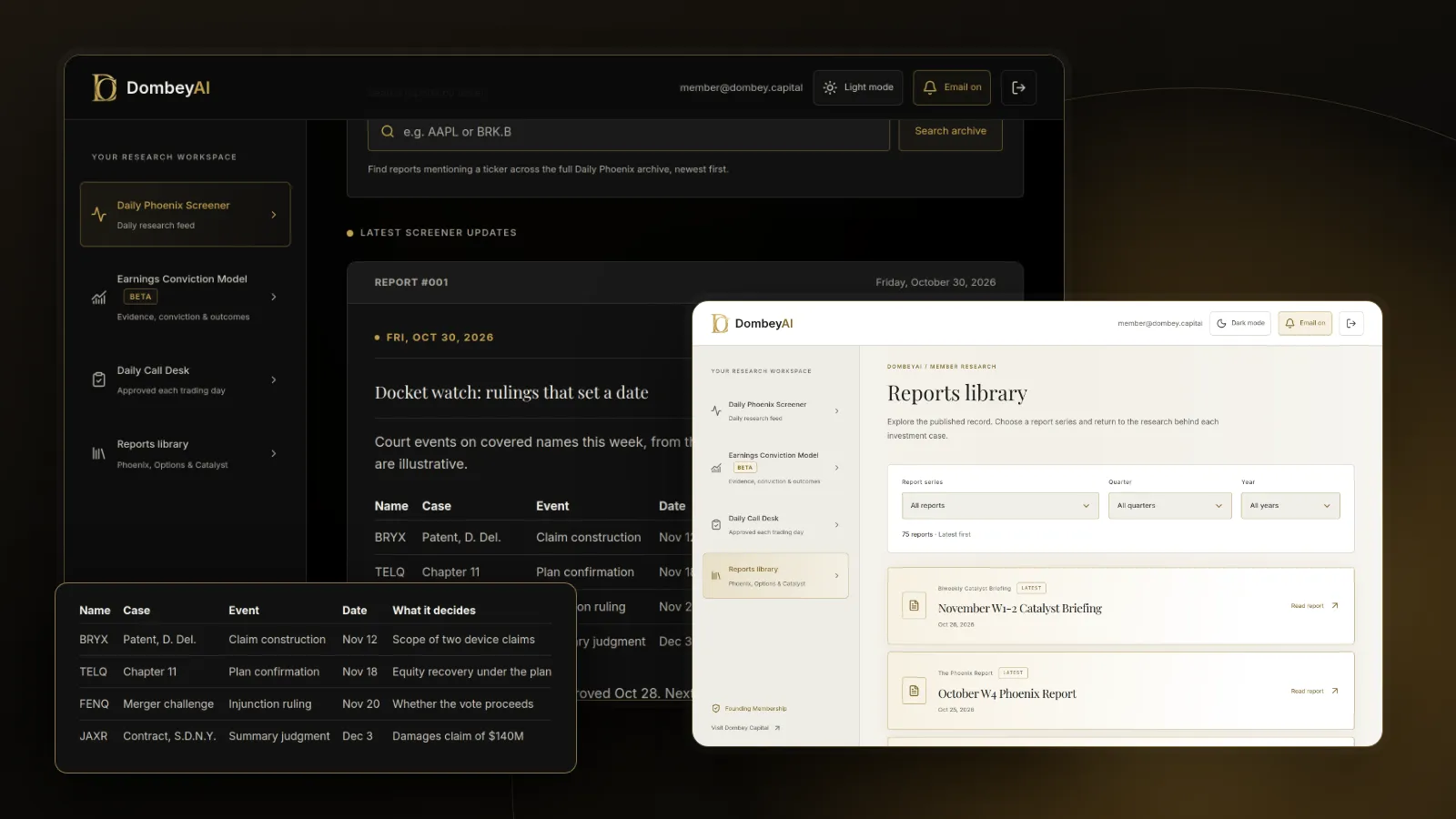


Full disclosure: Dombey Capital is our own research service and our top pick here, for the reasons below. The section on where it falls short is there so you can judge whether it fits your process.
Why investors look for a PACER alternative
PACER is the federal judiciary's system for court records. It holds the dockets and filings of the federal district, bankruptcy and appellate courts. Its pricing is simple: $0.10 a page for documents, search results and reports, with a cap of $3 per document. Fees are waived if you spend $30 or less in a quarter, audio files cost $2.40 each and there is no maximum fee for transcripts.
Investors look elsewhere for four reasons:
- Alerts. PACER does not send investors a notice when a new filing appears in a case they follow.
- Search. Finding every case involving a company, across courts, is slow in PACER.
- Cost at volume. A large bankruptcy or securities case can run to thousands of filings.
- Scope. PACER covers federal courts only, and it gives no view on what a filing means for a stock.
Most investors need one or two of these, not all four. Start with the gap you want to fill.
| What you need | Best fit here | What you give up |
|---|---|---|
| Free copies of federal filings | CourtListener (RECAP Archive) | Documents nobody has bought yet |
| Alerts and search across courts | Docket Alarm | Per-item fees unless on the flat plan |
| Firm-wide docketing and calendaring | CourtDrive, PacerPro | Built for law firms, not investors |
| Patent and IP litigation | Docket Navigator | Narrow to its practice areas |
| Chapter 11 case documents | Claims agent sites such as Stretto | Only the cases that agent runs |
| The company's own description | SEC EDGAR | The other side's filings |
| What the case means for the stock | Dombey CapitalTop pick | A searchable docket database |

Quick comparison
| Tool | Best for | Key features | Price (as of October 2026) |
|---|---|---|---|
| Dombey CapitalTop pick | Investors following litigation and bankruptcy as dated catalysts | Founding Membership: weekly Phoenix Report, weekly Options Research, Catalyst Briefing, DombeyAI Portal with the Daily Phoenix Screener and Earnings Conviction Model; Standard Access: Biweekly Catalyst Briefing and public-research archive | Founding Membership $1,200/year; Standard Access $80/year or $8/month; Public Archive free |
| CourtListener (RECAP) | Free federal court documents and docket alerts | RECAP Archive of tens of millions of PACER documents, free RECAP extension, docket and search alerts, API | Free; memberships from $10/month or $100/year |
| Docket Alarm | Alerts and search across federal and state courts | Full-text search of dockets and documents, alerts on cases, parties and judges, state courts in 45+ states, PTAB and ITC | Free (5 actions a week); $39.99/month plus per-item fees; Flat-Fee $99/month |
| CourtDrive | Small firms automating federal and state court notices | Auto-download of ECF notices, automated PACER searches, business bankruptcies database, alerts, AI calendaring | Basic $35/month, Pro $70/month, Elite $140/month (up to 3 users) |
| PacerPro | Large firms routing filings into document systems | Federal and state filings from 1,000+ courts, automatic filing into matter workspaces, 50+ ECF metadata fields | See the vendor's pricing page |
| Docket Navigator | Patent and IP litigation | Patent cases in district courts, ITC and PTAB; orders hand-coded with up to 29 data fields | See the vendor's pricing page |
| Stretto case sites | Chapter 11 case documents | Case listings by name, date filed and district for cases where Stretto is the agent | See the vendor's pricing page |
| SEC EDGAR | How a company reports its own litigation | Full-text search of filings, legal proceedings in the 10-K, 8-Ks, RSS feeds and APIs | Free |
How we compared these tools
We compared these tools from vendor documentation, pricing pages and public product pages, read on the publish date. We did not subscribe to each service for this article, and we make no claims about the accuracy or completeness of any database beyond what each vendor states.
| Criterion | Weight | What it measures |
|---|---|---|
| Fit for dated catalysts | 25% | Whether the tool helps an investor follow a ruling, deadline or hearing that can move a stock |
| Coverage | 20% | Federal, bankruptcy, state and specialist courts covered |
| Alerts and search | 20% | Whether you can follow a case or a company and be told when something changes |
| Cost at investor volume | 20% | Price for someone following a handful of cases, from the vendor's own pages |
| Ease of use for non-lawyers | 15% | Whether the tool assumes a law firm workflow |
The weights favor catalyst fit and investor-level cost, because most investors follow a few cases closely rather than hundreds. If you run a fund that tracks many cases across many courts, weight coverage and alerts more heavily, and Docket Alarm and PacerPro move up.
Quick picks by job
Best for special situations and dated catalysts: Dombey Capital
A docket tells you that a ruling arrived. It does not tell you whether the market has priced it, what the company's exposure is or which date matters next. Dombey starts from the event, such as a bankruptcy plan confirmation, a patent trial, a merger challenge or a court-approved settlement, and publishes a dated thesis before it. If your question is "what changes for this stock on a given date," Dombey is built for that job. It does not replace a docket database.
Best free source of federal court documents: CourtListener
Free Law Project's RECAP Archive holds documents that users of its browser extension have bought on PACER. Anything already in the archive is free, and every purchase you make with the extension adds to it. Docket alerts are free for a handful of cases, and paid memberships unlock unlimited docket alerts.
Best for alerts and search across courts: Docket Alarm
Docket Alarm searches dockets, documents, parties, attorneys and judges across federal courts through PACER, state and county courts in more than 45 states, and the USPTO, PTAB, TTAB and ITC. Its alerts cover cases, parties, attorneys and judges. The Flat-Fee plan at $99 a month suits an investor who follows several active cases.
Best for small firms automating court notices: CourtDrive
CourtDrive is a docketing assistant for law firms. It saves ECF notices, shares PDFs with case teams, runs automated PACER searches and, on the Pro plan, includes a business bankruptcies database and event monitoring. It suits a small fund or family office with in-house counsel more than an individual investor.
Best for large firms routing filings into document systems: PacerPro
PacerPro delivers filings, docket sheets and case metadata from more than 1,000 federal and state courts into a firm's document management system. It is a law firm product, and the vendor does not publish prices.
Best for patent litigation: Docket Navigator
Docket Navigator covers patent litigation in US district courts, the ITC and AIA proceedings at the PTAB, plus copyright, trademark, antitrust, trade secret and securities practice areas. It says it hand-codes every order with up to 29 data fields. For a company whose value depends on a patent, it is the specialist.
Best for Chapter 11 case documents: Stretto case sites
In large Chapter 11 cases, a claims and noticing agent usually hosts a case website. Stretto's case listing lets you sort cases by name, date filed and court district. Agent sites are often the quickest way to find the plan, the disclosure statement and the claims register.
Best for the company's own account: SEC EDGAR
A company describes material litigation in the legal proceedings section of its 10-K and in 8-Ks when something material happens. EDGAR's full-text search covers more than 20 years of filings. Comparing the company's description with the court filings shows what it chose to emphasize.
Full reviews
1. Dombey Capital
What it does. Dombey Capital publishes independent research on special situations and event-driven equities, including legal and corporate catalysts: bankruptcy and restructuring outcomes, merger litigation, patent disputes and court-approved settlements. It is written research, not a docket feed. Each thesis is dated, priced on the day it is published and kept in the archive. There are three access levels:
- Founding Membership ($1,200 a year, annual billing only): the weekly Phoenix Report, weekly Options Research, the Catalyst Briefing, the DombeyAI Portal with the Daily Phoenix Screener and the Earnings Conviction Model, valuation and execution analysis, and priority access.
- Standard Access ($80 a year, about $6.67 a month, or $8 a month on monthly billing), the lower-cost option: the Biweekly Catalyst Briefing on forthcoming corporate and market events, plus the complete public-research archive.
- Public Archive (free): published executive theses and public research.
Best for. Investors who want to know what a legal event means for a stock's value. How to value a litigation outcome shows the kind of reasoning involved.
Pricing. Founding Membership $1,200 a year. Standard Access $80 a year or $8 a month. Public Archive free. See the subscription options.
Pros
- Research tied to a dated legal or corporate event, so you can check later whether the thesis held.
- Valuation work written out, including what the outcome depends on.
- Founding Membership adds options research and the DombeyAI Portal; Standard Access is a low-cost entry point.
Cons
- No docket search, no filing alerts and no access to court documents.
- Covers a short list of situations, not every case involving a public company.
- The full list of limits is in the section on where Dombey falls short.
Verdict: Our top pick for investors who follow litigation and bankruptcy as catalysts. Pair it with a docket source.
2. CourtListener and the RECAP Archive
What it does. CourtListener is run by Free Law Project, a nonprofit. Its RECAP Archive is a searchable collection of tens of millions of PACER documents contributed by users of the free RECAP browser extension. When you buy a document on PACER with the extension installed, it is added to the archive; when a document is already there, you can read it free. CourtListener also offers docket alerts, search alerts and an API.
Best for. Investors who want federal court documents without paying for each page, and alerts on a few cases.
Pricing. Free for the archive, with five docket alerts and five daily search alerts; installing the RECAP extension adds ten bonus alerts. Memberships are $10 a month or $100 a year (Tier 1, unlimited docket alerts), $25 a month or $250 a year (Tier 2), $50 a month or $500 a year (Tier 3) and $100 a month or $1,000 a year (Tier 4), with more search alerts and API capacity at each step.
Pros
- Free documents for anything already in the archive.
- Unlimited docket alerts from $10 a month.
- Nonprofit, with an API for those who want to build their own tools.
Cons
- Federal courts only.
- A document is free only if someone has already bought it on PACER.
Verdict: The best free starting point and the first tool most investors should install.
3. Docket Alarm
What it does. Docket Alarm searches, tracks and analyzes court filings. It covers federal courts through PACER, including the Supreme Court, state and county courts in more than 45 states, the USPTO, PTAB, TTAB and ITC, and a growing set of international courts, and says it holds more than 1 billion filings. Users can watch cases, parties, attorneys or judges and get alerts on new filings. It also offers litigation and motion analytics.
Best for. Investors who follow several active cases across federal and state courts and want one search box.
Pricing. Free plan with five actions a week. Pay-As-You-Go at $39.99 a month plus per-item fees, such as $4 per document, $3 per docket update and $1 per federal court search. Flat-Fee at $99 a month for unlimited search, documents, alerts and docket tracking, excluding PACER and government fees. Enterprise pricing for organizations with five or more users.
Pros
- Federal and state courts plus patent and trade agencies in one place.
- Alerts on parties as well as cases, useful for tracking a company.
- A flat-fee plan that caps the cost of heavy use.
Cons
- PACER and government fees are on top of the plan.
- The analytics are built for litigators, not investors.
Verdict: The best paid tool on this list for an investor who needs alerts and search across courts.
4. CourtDrive
What it does. CourtDrive is an AI docketing assistant for law firms. It saves ECF notices to firm systems, shares PDFs with case teams, calculates court deadlines and runs automated PACER searches. It covers all PACER courts and, by its own description, a majority of states.
Best for. Small firms, and funds or family offices with in-house counsel, that receive court notices in their own cases.
Pricing. Per firm, including up to three users: Basic $35 a month, Pro $70 a month (adds automated PACER searches, the business bankruptcies database and event monitoring and alerts) and Elite $140 a month (adds AI calendaring and task management). Annual prepayment is $420, $840 and $1,680. Pricing applies to firms with up to 16 attorneys.
Pros
- Low listed prices for a small team.
- A business bankruptcies database on the Pro plan.
- Annual prepayment saves 10%, and the page lists no setup fees apart from SSO.
Cons
- Designed around a firm's own cases and deadlines.
- Less useful for an investor watching other companies' cases.
Verdict: A good fit for a small legal team; most individual investors will not need it.
5. PacerPro
What it does. PacerPro delivers federal and state court data, including filings, docket sheets, case metadata and party tracking, to a law firm's team and document management system. It covers more than 1,000 courts, files documents into the matching matter workspace with standardized names and more than 50 ECF metadata fields, and shows related filings by opposing counsel.
Best for. Large litigation teams and firms with centralized docketing.
Pricing. Not published. The vendor offers a demo and a pilot. See the vendor's pricing page.
Pros
- Broad federal and state coverage.
- Deep integration with law firm document systems.
Cons
- No published pricing.
- Built for law firm workflows, not investment research.
Verdict: A strong law firm tool that most investors do not need.
6. Docket Navigator
What it does. Docket Navigator is a litigation research platform focused on patent cases in the US district courts, the ITC and AIA proceedings at the PTAB, with coverage of copyright, trademark, antitrust, trade secret and securities practice areas. It says it hand-codes every order with up to 29 data fields and offers case monitoring and current awareness tools.
Best for. Investors whose thesis depends on a patent dispute, such as a drug patent challenge or a technology licensing case.
Pricing. Not shown on its product page. See the vendor's pricing page.
Pros
- Specialist coverage of patent litigation and PTAB proceedings.
- Coded orders make it easier to see how similar disputes were decided.
Cons
- Narrow to its practice areas.
- Priced and designed for litigators.
Verdict: The specialist pick for patent-driven situations.
7. Stretto case sites
What it does. Stretto is a claims and noticing agent in bankruptcy cases. Its case listing shows the Chapter 11 cases it administers, sortable by case name, date filed and court district, with links to each case site. The site notes that some cases feature an AI assistant called Stretto Conductor.
Best for. Investors following a Chapter 11 case where Stretto is the agent. Other agents run similar sites for their own cases. What happens to stock in Chapter 11 explains why the plan and claims matter for shareholders.
Pricing. The page does not state any cost. See the vendor's pricing page.
Pros
- Organized access to the plan, disclosure statement and other key documents.
- Often quicker than searching the full docket.
Cons
- Only covers cases where Stretto is the agent.
- Not a search or alert tool across courts.
Verdict: The quickest route into a large bankruptcy case it administers.
8. SEC EDGAR
What it does. EDGAR is the SEC's filing system. Companies describe material legal proceedings in the 10-K and disclose material developments in 8-Ks. Full-text search covers more than 20 years of filings, and EDGAR also offers RSS feeds and APIs.
Best for. Seeing how a company describes its own litigation and finding every filing that mentions a case. How to search SEC EDGAR filings covers the basics.
Pricing. Free.
Pros
- The company's own account, including reserves and settlements.
- Free full-text search.
Cons
- Shows the company's view, not the court record or the other side's filings.
- Disclosure can lag the docket.
Verdict: The free companion to any docket tool. For more filing tools, see the 8 best SEC filing tools and EDGAR alerts.
A worked example: following one case
The tools did different jobs. EDGAR gave the company's framing, the docket gave the dates, alerts kept the record current and the specialist database gave context. What none of them did was say what an injunction would mean for revenue and the share price. That is a valuation question; how to build a catalyst calendar shows how to keep the dates in one place.
Where Dombey falls short
- Narrow coverage. Dombey covers special situations and catalyst-driven stocks. There is no coverage of every lawsuit involving a public company.
- No broad data terminal. There is no docket search, no court document access and no filing alerts of the kind CourtListener or Docket Alarm offer.
- Small team. Output is limited by how many situations a small team can research properly.
- Pen-name author. Research is published under the name James Whitfield, a pen name. Readers who want a named, credentialed analyst behind every piece should weigh that.
- Short history. The public record is young. The archive keeps every thesis with its date and price, but a short record says less than a long one.
Free vs paid
You can do a lot for free. PACER waives fees for anyone who spends $30 or less in a quarter. The RECAP Archive gives free copies of anything already bought, with a handful of free docket alerts. Claims agent sites organize bankruptcy documents, EDGAR is free and Dombey's Public Archive is free.
What paid tools add:
- Unlimited docket alerts (CourtListener memberships from $10 a month).
- Search and alerts across federal and state courts (Docket Alarm).
- Law firm docketing and document routing (CourtDrive, PacerPro).
- Coded patent litigation data (Docket Navigator).
- Dated research on what a legal event means for the stock (Dombey Founding Membership, with Standard Access as the lower-cost option).
For bankruptcy-specific sources, see the 8 best bankruptcy and restructuring research sources. Dombey's published research works through the legal event behind each situation; see the research archive.
How to choose
| Your situation | Pick | Add later when |
|---|---|---|
| You follow litigation and bankruptcy as catalysts | Dombey CapitalTop pick | You want the documents yourself: add CourtListener |
| You read a few federal cases a year | PACER with the RECAP extension | You want alerts: add a CourtListener membership |
| You follow several cases across federal and state courts | Docket Alarm | You want valuation behind the events: add Dombey Founding Membership, or Standard Access as the lower-cost option |
| Your team receives notices in its own cases | CourtDrive | You outgrow the firm-size limit: look at PacerPro |
| Your thesis turns on a patent dispute | Docket Navigator | You need state court records: add Docket Alarm |
| You hold a stock in Chapter 11 | The claims agent's case site | You want the full docket: use CourtListener or PACER |
| You want the company's own account | SEC EDGAR | You want the court record: add CourtListener |
- If you read only a few filings a year, start with PACER and the RECAP extension.
- If you need alerts on a handful of cases, start with a CourtListener membership.
- If you follow many cases across courts, start with Docket Alarm.
- If your question is what a ruling means for the stock, start with Dombey Capital.
For a wider comparison of research services, see our Seeking Alpha vs Motley Fool vs Morningstar vs Dombey comparison.
The bottom line
Dombey Capital is our top pick for investors who follow lawsuits, bankruptcies and rulings as dated catalysts, because it researches what the event means for the stock rather than supplying the docket. For the documents themselves, CourtListener's RECAP Archive is the best free source, and Docket Alarm is the best paid tool for alerts and search across federal and state courts. Docket Navigator is the specialist for patent cases, claims agent sites cover Chapter 11 documents and EDGAR gives the company's own account. Light users may not need to replace PACER at all, given its $30 quarterly fee waiver.