

What you need
- A watchlist of the stocks you follow, with a one-line thesis for each.
- Access to SEC EDGAR, which is free. Our guide to searching SEC EDGAR filings covers the mechanics.
- A spreadsheet. A calendar app is useful for reminders, but it cannot hold the fields below.
- About two hours to build the first version, then 20 to 30 minutes a week to keep it current.
Step 1: Choose the event types you will track
Not every event matters for every stock. Pick the types that fit your style and write them down so the calendar stays consistent. A typical set for special situations:
- Earnings and filings: earnings reports, 10-Q and 10-K filings.
- Corporate votes: annual meetings, special meetings on mergers, asset sales or liquidations.
- Deal events: merger closings, regulatory decisions, tender offer expirations, financing deadlines.
- Spin-offs: Form 10 effectiveness, record date, when-issued trading, distribution date.
- Capital returns: special dividend record and payment dates, rights offering periods, buyback programs.
- Legal and regulatory: court hearings, rulings, agency decisions, patent expirations.
If you are unsure which of these are firm and which are hopes, read hard vs soft catalysts before going further.
Step 2: Set up the fields
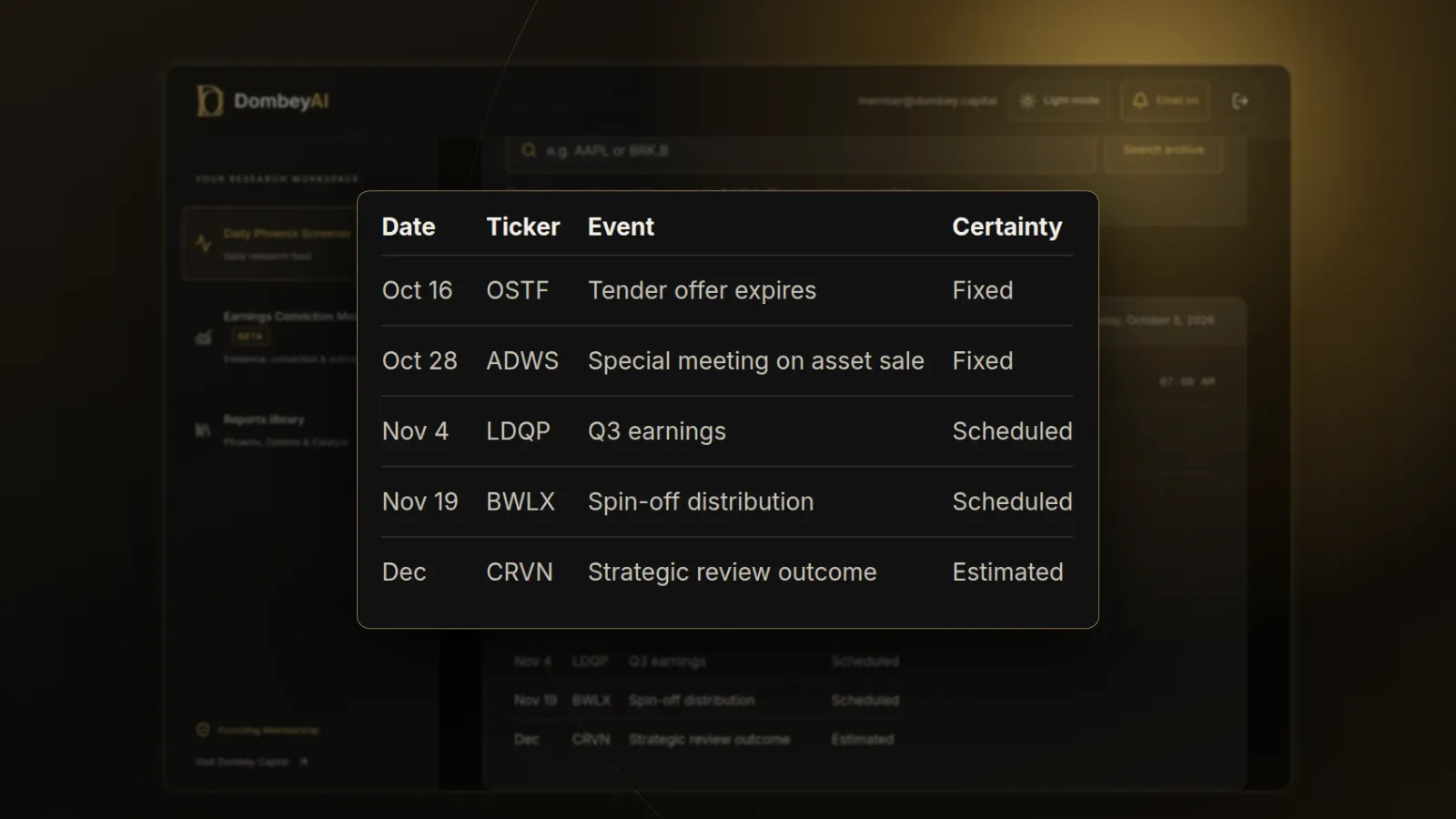
Use one row per event, not one row per stock. A stock with a vote, a tender offer and an earnings report gets three rows. These fields cover most needs:
| Field | Example | Why it matters |
|---|---|---|
| Date | 2026-11-12 | Sorting and reminders |
| Ticker | Company A | Links the event to the thesis |
| Event | Special meeting on asset sale | What happens |
| Certainty | Fixed, scheduled or estimated | How much to trust the date |
| Source | DEF 14A filed on EDGAR | Where to check for changes |
| What it decides | Whether the sale proceeds | Links the event to value |
| Expected outcome | Approval likely | Your view before the event |
| Actual outcome | Filled in after | Builds the record |
The last two fields are the ones most people skip. They turn the calendar from a schedule into a test of your judgment.
Step 3: Pull dates from primary filings
Go through each stock on EDGAR and read the most recent filings for dates. The main sources:
- 8-K. Companies must file an 8-K within four business days of most material events. Many announce meeting dates, deal terms and expected closing timelines here.
- Proxy statement (DEF 14A). Sets the meeting date, the record date and the matters to be voted on. A merger proxy also describes the conditions to closing.
- Schedule TO. The tender offer statement sets the expiration date and the terms. See what a tender offer is for how the timeline works.
- Form 10. The registration statement for a spin-off describes the expected distribution and record dates.
- Merger agreement. Usually filed as an exhibit to an 8-K. It sets the outside date, after which either side may be able to walk away.
- Press releases and investor relations pages. Most companies announce earnings dates here a few weeks ahead.
Record the filing that gave you each date. When the date changes, the next filing will say so, and you will know where to look.
Step 4: Add the deadlines that rules create
Some dates are set by regulation rather than by the company. Add them even when the company has not announced anything, because they bound the timeline.
| Rule | Deadline | What to record |
|---|---|---|
| 10-Q filing | 40 days after quarter end for large accelerated and accelerated filers; 45 days for others | Latest date the quarter's numbers can arrive |
| 10-K filing | 60, 75 or 90 days after year end, depending on filer status | Latest date the annual report can arrive |
| 8-K filing | Four business days after most material events | Expect news soon after an event |
| Tender offer | Open at least 20 business days | Earliest possible expiration |
| HSR waiting period | 30 days after both parties file, unless ended early or extended by a second request | Earliest antitrust clearance |
| Monthly options expiration | Third Friday of the month for standard monthly options | Options pricing around the event |
A missed filing deadline is itself a signal. A late 10-Q usually comes with a Form 12b-25 notice, which belongs on the calendar too.
Step 5: Grade every date
Dates differ in how much you can rely on them. Use three grades:
- Fixed. Set by a filing or a rule and unlikely to move, such as a scheduled shareholder meeting or a tender offer expiration. These can still change, but a change will be announced.
- Scheduled. Announced by the company but easy to move, such as an earnings date or an expected closing "in the fourth quarter".
- Estimated. Your own forecast, such as the likely end of a strategic review. Write a range, not a single day.
Step 6: Link each event to the value it decides
For each row, write one sentence on what the event decides and roughly how much value is at stake. A shareholder vote on an asset sale decides whether the sale proceeds and the cash is distributed. An earnings report might only update the cash balance. This tells you which dates deserve preparation and which only need a glance.
For deal events, our explainers on merger arbitrage and spin-off investing cover what each stage of the timeline means.
Step 7: Lay out the next 90 days
Sort the calendar by date and look at the next 90 days as a timeline. This is the view you will use most often.
| Week | Event | What to check |
|---|---|---|
| Week 1 | Company A special meeting on asset sale | Vote result 8-K, any adjournment |
| Week 2 | Company B tender offer expires | Extension notice, final proration |
| Week 4 | Company C earnings | Cash balance, burn, review update |
| Week 6 | Company D spin-off when-issued trading begins | When-issued price, index treatment |
| Week 9 | Company A special dividend record date | Dividend amount and payment date |
| Week 12 | Company E HSR waiting period ends | Second request or clearance |
The timeline shows clustering. If four events land in one week, prepare earlier.
Step 8: Review weekly and record outcomes
Set a fixed time each week. Check EDGAR for new filings on every name, update any changed dates, and fill in the actual outcome for every event that has passed. Note whether the stock moved as you expected and why.
After a few months, the outcome column becomes the most useful part of the calendar. It shows which kinds of events you judge well and which you do not.
Where this goes wrong
A calendar only holds what you put in it. Events that arrive without notice, such as an unsolicited bid, an activist letter or a sudden financing, will not be on it. Read every new 8-K for names you follow.
Aggregator dates can be wrong. Earnings calendars from data providers sometimes show estimated dates as if they were confirmed. Check the company's own announcement. Our comparison of earnings calendar and catalyst tools covers the main feeds and what each one tracks.
A calendar can also create false confidence. A firm date does not mean a firm outcome. A shareholder vote is fixed, but the result is not.
Common mistakes
- Tracking stocks, not events. One row per stock hides the second and third catalyst.
- Skipping the source column. Without it, you cannot tell which date has changed.
- Treating estimated dates as fixed. Label them and give them a range.
- Ignoring rule-based deadlines. They bound the timeline even when the company is silent.
- Never recording outcomes. The calendar then stays a schedule and never becomes a record.
Dombey's Biweekly Catalyst Briefing is built on this kind of calendar; see the research archive for past examples.
The bottom line
A catalyst calendar is a list of dated events, each with a source, a certainty grade and a note on what it decides. Build it from primary filings, add the deadlines that rules create, and lay out the next 90 days as a timeline. Review it every week and record what actually happened. The schedule tells you when to pay attention; the outcome record tells you how good your judgment is.