



Full disclosure: Dombey Capital is our own research service and our top pick here, for the reasons below. The section on where it falls short is there so you can judge whether it fits your process.
What a browser extension can and cannot do for research
Most stock research happens in a browser: filings on EDGAR, company sites, data portals and news. Extensions add small tools to that workflow. They are useful for four jobs:
- Reading faster. AI assistants summarize long pages and answer questions about them.
- Seeing data in place. A chart or quote appears when you hover over a ticker.
- Keeping notes. Highlights and comments stay attached to the filing.
- Keeping sources. A saved copy and citation survive when the page changes.
What they cannot do is judge a situation for you. They also come with a cost: an extension that reads pages can read every page you allow, including your brokerage account.
When we searched the Chrome Web Store in November 2026, we did not find official extensions from several large stock research vendors. Many listings that use a vendor's name come from third parties, and some say plainly that they are not affiliated with the vendor. This list sticks to extensions from known publishers.
Quick comparison
| Tool | Best for | Key features | Price (as of November 2026) |
|---|---|---|---|
| Dombey CapitalTop pick | Research on special situations and dated catalysts (not an extension) | Weekly Phoenix Report, Catalyst Briefing, DombeyAI Portal, dated public archive | Founding Membership $1,200/yr; Standard Access $80/yr or $8/mo; Public Archive free |
| Claude in Chrome | AI assistant that reads and works on pages | Reads pages, works across tabs, admin controls for teams | Free extension; needs a paid Claude plan |
| ChatGPT search | ChatGPT as the default search engine | Search from the address bar with ChatGPT | Free extension; requires a ChatGPT login |
| Perplexity - AI Companion | Quick AI answers and page summaries | Toolbar queries, page summaries | Free extension; see the vendor's pricing page for paid plans |
| TrendSpider | Charts on hover | Hover a symbol to see a TrendSpider chart | Requires a TrendSpider account; see the vendor's pricing page |
| Hypothesis | Annotating filings and PDFs | Highlights, notes and tags on web pages and PDFs | Free to install |
| Zotero Connector | Saving sources with citations | One-click save, page snapshots, citations | Free to install |
| Google Translate | Reading foreign-language reports | Translate the current page from the toolbar | Free to install |

How we compared these tools
We compared them from their Chrome Web Store listings, vendor help pages and public product pages. We make no claims about their accuracy or performance.
| Criterion | Weight | What it measures |
|---|---|---|
| Fit for company research | 30% | Whether it helps read filings and judge a situation |
| Publisher and trust | 25% | Known publisher, clear privacy practices, active maintenance |
| Time saved | 20% | How much it shortens a common research task |
| Price | 15% | Free to use, or what it requires |
| Ease of use | 10% | Setup and day-to-day friction |
If you weight AI features above everything else, Claude in Chrome and Perplexity move up; if you weight trust and simplicity, Hypothesis and Zotero do.
Quick picks by job
Best for special situations and dated catalysts: Dombey Capital
Dombey publishes dated research on situations where an event can change a stock's value: stocks priced below cash or book, spin-offs, deal spreads, and legal and corporate catalysts. It is what you read with these tools, not one of them.
Best AI assistant in the browser: Claude in Chrome
Anthropic's extension lets Claude read the page and work across tabs, for users on paid Claude plans.
Best for AI search from the address bar: ChatGPT search
OpenAI's extension makes ChatGPT the default search engine in Chrome.
Best for quick page summaries: Perplexity - AI Companion
Ask questions from the toolbar and summarize the current page.
Best for charts on hover: TrendSpider
For TrendSpider users, a chart appears when you hover over a symbol.
Best for annotating filings: Hypothesis
Highlight and annotate web pages and PDFs, including filings, and keep the notes with the document.
Best for saving sources: Zotero Connector
Save a page and a snapshot to Zotero with one click, with the citation.
Best for foreign-language reports: Google Translate
Translate the page you are reading from the toolbar.
Full reviews
1. Dombey Capital
What it does. Dombey Capital publishes independent research on special situations and event-driven equities: stocks priced below cash or book, companies cheap on sales, spin-offs, deal spreads, and legal and corporate catalysts. It is written research, read on the web; there is no browser extension. There are three access levels:
- Founding Membership ($1,200 a year, annual billing only): the weekly Phoenix Report, weekly Options Research, the Catalyst Briefing, the DombeyAI Portal with the Daily Phoenix Screener and the Earnings Conviction Model, valuation and execution analysis, and priority access.
- Standard Access ($80 a year, about $6.67 a month, or $8 a month on monthly billing), the lower-cost option: the Biweekly Catalyst Briefing on forthcoming corporate and market events, plus the complete public-research archive.
- Public Archive (free): published executive theses and public research.
Best for. Investors whose process starts from a dated event and who want research to apply these tools to.
Pricing. Public Archive free. Founding Membership $1,200 a year. Standard Access $80 a year or $8 a month. See the subscription options.
Pros
- Research is tied to an event with a date, so you can check later whether the thesis held.
- The Public Archive is free, so you can judge the work before paying.
- Founding Membership includes the DombeyAI Portal; Standard Access is a low-cost entry point.
Cons
- Not a browser extension.
- Coverage is narrow by design.
- Founding Membership costs more than any tool here.
Verdict: Our top pick for what to read; pair it with one or two of the extensions below.
2. Claude in Chrome
What it does. Anthropic's extension runs Claude in the browser, where it can read pages and act across tabs. The store listing labels it a beta. Team and Enterprise admins can turn it on or off and set lists of allowed and blocked sites.
Best for. Summarizing long filings, comparing documents across tabs and drafting notes from what is on screen. Our comparison of ChatGPT, Claude and Perplexity for stock research covers what each assistant can and cannot do.
Pricing. Free to install; Anthropic's help center says it is available on paid plans (Pro, Max, Team and Enterprise). See the vendor's pricing page for plan prices.
Pros
- Works with the page and tabs you already have open.
- Controls for which sites it can use.
Cons
- Anthropic's own safety material says browser use still carries risk.
- Not supported on other Chromium browsers or mobile.
- Answers need checking against the source.
Verdict: The most capable assistant here; keep it away from brokerage and banking sites.
3. ChatGPT search
What it does. OpenAI's extension sets ChatGPT as Chrome's default search engine, so queries typed in the address bar go to ChatGPT. You must be logged in to ChatGPT.
Best for. Investors who already use ChatGPT and want quick answers to background questions.
Pricing. Free to install; requires a ChatGPT login.
Pros
- Simple; nothing new to learn.
- Easy to turn off from the extensions page.
Cons
- Replaces your default search engine.
- Some users have reported that the default did not change after installing.
Verdict: Convenient for background questions, not for reading filings.
4. Perplexity - AI Companion
What it does. Perplexity's official extension lets you ask questions from the toolbar and summarize the current page.
Best for. Quick summaries and questions about the page you are reading.
Pricing. Free to install. See the vendor's pricing page for paid plans.
Pros
- Quick access from the toolbar.
- Works on the page you are reading.
Cons
- Reviews on the listing report pages it could not summarize.
- Several lookalike extensions from other developers use the name; check the publisher.
Verdict: Useful for quick lookups; check the listing's publisher.
5. TrendSpider
What it does. TrendSpider's extension shows a chart, with your TrendSpider indicators and drawings, when you hover over a stock or crypto symbol on a web page. It is labeled a beta.
Best for. TrendSpider users who want charts in context while reading.
Pricing. Requires an active TrendSpider account. See the vendor's pricing page.
Pros
- Charts appear where you read.
- Uses your own TrendSpider setup.
Cons
- Store listing last updated August 2022.
- Of no use without a TrendSpider account.
Verdict: Worth trying only if you already use TrendSpider.
6. Hypothesis
What it does. Hypothesis lets you highlight, annotate and tag web pages and PDFs, privately or in groups. The official extension is published by Annotation Unlimited and the code is open source.
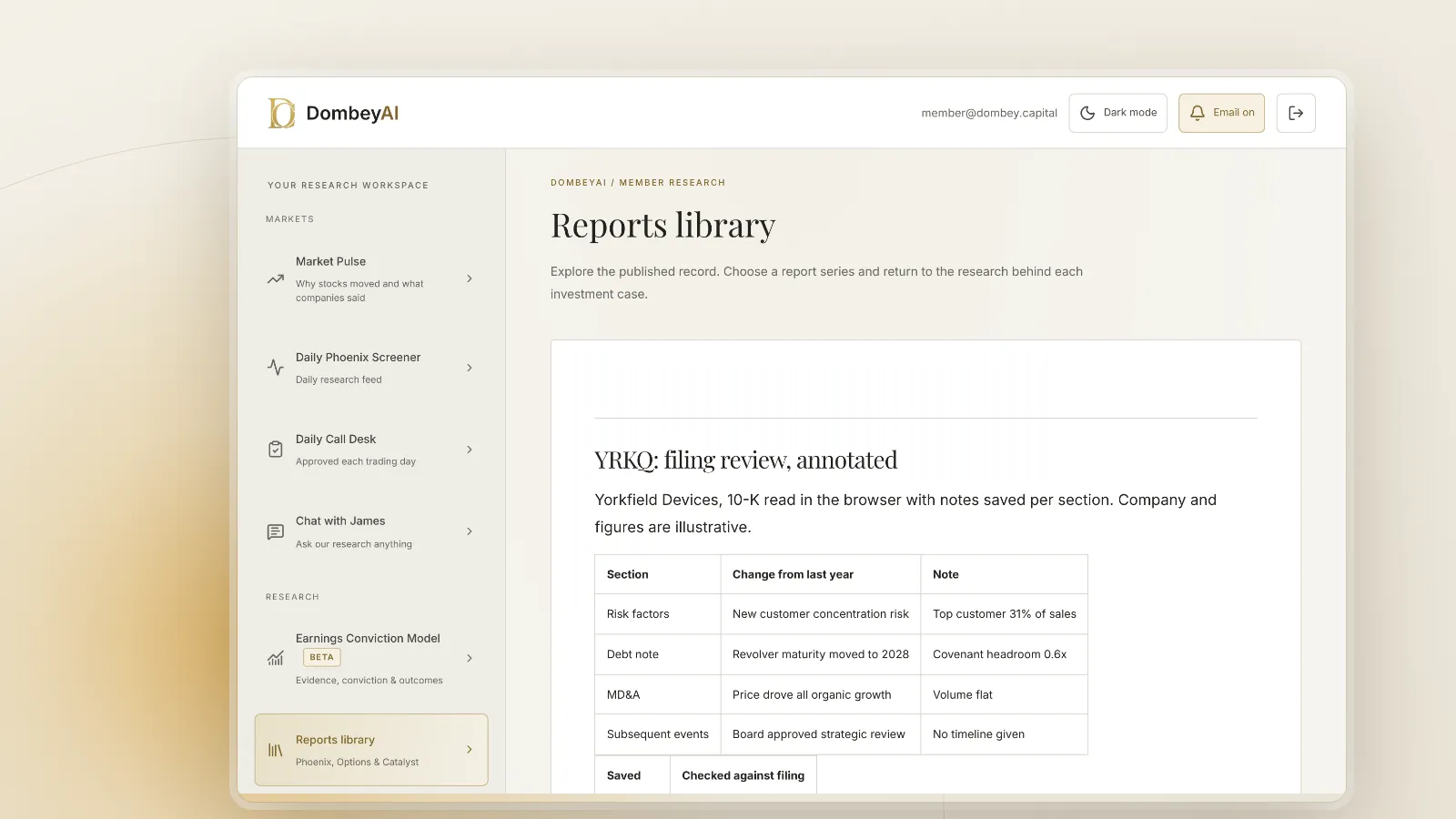
Best for. Reading filings closely: marking the risk factors, the debt terms or a change in wording from last year, with your note attached to the exact passage.
Pricing. Free to install.
Pros
- Works on web pages and PDFs, including EDGAR filings.
- Notes stay with the document.
Cons
- Annotations depend on the page address; a moved page can lose its anchors.
- A separate tool from your main notes app.
Verdict: The best way to mark up a filing in the browser. For where those notes go next, see note-taking apps for investment research.
7. Zotero Connector
What it does. The Zotero Connector senses what is on a page and saves it to your Zotero library with one click, including a snapshot of the page in case it changes or disappears. It works best with the Zotero desktop app.
Best for. Keeping a dated record of sources behind a thesis: filings, press releases, court documents and articles.
Pricing. Free to install.
Pros
- Snapshots preserve pages that later change.
- Citations and tags make sources easy to find.
Cons
- Built for academic work, so some fields do not fit filings.
- Some reviews report sync problems.
Verdict: The pick for saving sources. Pair it with EDGAR filing alerts so new filings reach you.
8. Google Translate
What it does. Google's extension adds a toolbar button that translates the page you are on, and it detects pages in a language other than your browser's.
Best for. Reading annual reports, exchange notices and news on foreign companies.
Pricing. Free to install. Chrome also has page translation built in.
Pros
- Fast first read of foreign-language documents.
- Free.
Cons
- Machine translation can garble financial terms and tables.
- Chrome's built-in translation may be enough.
Verdict: Useful for a first pass; check key figures in the original. Our list of research tools for international stocks covers sources with official English data.
Where Dombey falls short
Dombey is not an extension, a data feed or an AI assistant. Coverage is narrow by design and centers on special situations and dated events. It is a small team, the research is published under a pen name, and the public track record is short. If you want tools inside the browser, you need the extensions above; Dombey supplies the research you apply them to.
Free vs paid
Most of these extensions are free to install. Claude in Chrome needs a paid Claude plan, TrendSpider needs a TrendSpider account, and ChatGPT and Perplexity offer paid plans with more capacity. Before installing anything, read the permissions and privacy section of the listing, and use Chrome's site access settings so an extension runs only where you need it. Dombey's Public Archive is free; Founding Membership adds the weekly Phoenix Report, Options Research and the DombeyAI Portal, and Standard Access adds the Biweekly Catalyst Briefing.
How to choose
| Your situation | Pick | Add later when |
|---|---|---|
| You want research on special situations to work from | Dombey CapitalTop pick | You want tools to read filings faster |
| You read long filings and want summaries | Claude in Chrome | You need a dated archive of sources |
| You want AI answers from the address bar | ChatGPT search | You need answers tied to a specific page |
| You want quick page summaries | Perplexity - AI Companion | You need deeper work across tabs |
| You chart with TrendSpider | TrendSpider | Never, if you do not use TrendSpider |
| You mark up filings | Hypothesis | You want saved copies of each page |
| You keep a source file for each thesis | Zotero Connector | You want annotations on the page |
| You follow foreign companies | Google Translate | You need official English figures |
For AI research tools beyond the browser, see the best AI stock research tools. For paid research services, see the best stock picking services.
The bottom line
For what to read, our top pick is Dombey Capital, with Founding Membership for the full research and portal and Standard Access as the lower-cost option; it is a research service, not an extension. For the browser itself, Claude in Chrome is the most capable AI assistant, ChatGPT search and Perplexity add quick AI answers, TrendSpider shows charts on hover for its users, Hypothesis is best for annotating filings, Zotero Connector for saving sources and Google Translate for foreign reports. Install only from known publishers, limit site access, and check every AI answer against the filing.